


Draw Anime - AR Tracing App
4.41.10K Reviews
App Specs
- Version
- 1.1.41
- Updated On
- License
- Free
- Downloads
- 50,000,000+
- Developer
- Braly JSC
- Categories
- Art & Design
- Platform
- Android, iOS
Screenshots
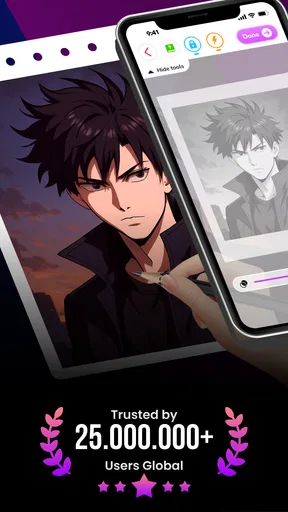
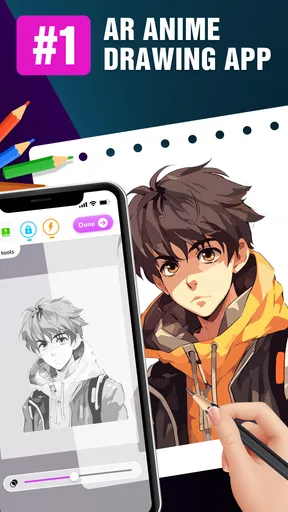
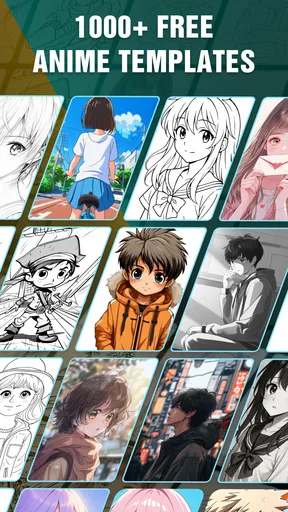
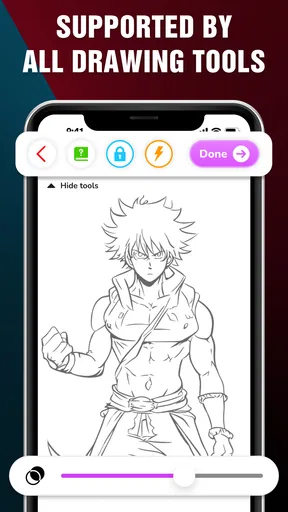
 Analysis by AppCompare
I’d treat Draw Anime - AR Tracing App as a guided way to get a drawing started, not as a replacement for learning to draw freehand. Its central idea is appealingly practical: use an augmented-reality outline as a reference while you work on paper. That can make anime drawing feel less intimidating, especially when a blank page is the part that usually stops you. The app is free, which makes trying that approach a low-risk choice, though free access alone does not tell me whether every item or feature is available without restrictions.
What the free starting point is worth
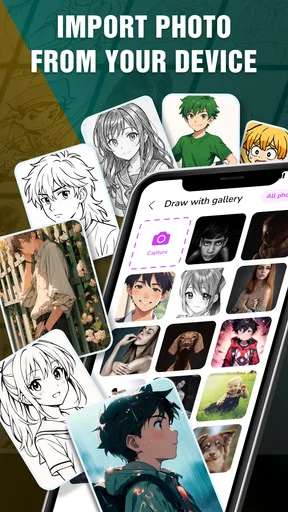
For an art app, a free download matters most when it lets you test the actual creative process before deciding whether it suits you. Here, the draw is the AR tracing workflow: you choose an image, position your phone toward the paper, and follow the on-screen guide. If you already have paper and a pencil, you can explore the basic idea without buying specialized drawing equipment. I would still check the app’s current screens before relying on a particular character or lesson, since the free price does not establish that every piece of content is included.
The app is made by Braly JSC and sits in the art-and-design space, with an Everyone age rating. Its average is 4.3 from around 71,000 ratings, and it has passed 10 million installs. Those figures suggest that many people have found the concept worth trying, but popularity is not a substitute for fit: what matters is whether tracing helps you enjoy drawing or makes the process feel too dependent on a guide.
What the tracing method can teach—and what it cannot
Tracing can be a useful bridge between recognizing an anime face and reproducing its proportions. I find it most valuable when I treat the outline as a reference rather than as a finish line. A first pass can help me notice where the head tilts, how the eyes sit relative to the nose, and how a hairstyle frames the face. After that, I can put the phone aside and redraw one feature from memory. That small extra step turns a copied contour into a practice exercise.
It is also worth separating tracing accuracy from drawing skill. A projected guide can help with placement, but it cannot make every curve look expressive or teach you automatically how to invent a pose. If your goal is to draw original characters from imagination, you will need practice with shapes, gesture, and construction beyond following a displayed outline. I would use the app for confidence and observation, then alternate with blank-page exercises so the reference does not become a crutch.
A realistic way to use it at home
Imagine you have a short break after school or work and want to sketch a favorite anime-style face without setting up a full digital-art session. I would put a sheet of paper on a firm, uncluttered surface, prop the phone so it points steadily at the page, and start with a simple subject rather than a complicated full-body pose. Before tracing, I would check that the page and phone are positioned comfortably; if either shifts while drawing, the guide becomes harder to follow and the lines can drift.
After outlining, I would turn the tracing session into a two-part exercise: first follow the guide, then add a detail of my own, such as a different expression or a modified fringe. That gives the session a personal result instead of ending with a straight copy. If the screen is awkward to keep in view while my hand is moving, I would pause between sections rather than trying to trace continuously. Small adjustments to the setup can matter more than rushing through the image.
Worth Reading Before You Choose

Switching to Android Auto Means Rethinking Your Driving Routine

Google Calendar Makes a Crowded Week Easier to Manage

Baby Panda World Brings Quick Play to Modern Phones, but Its Game Library Feels Busy

ESPN’s Live Game View Makes Following Close Games Easier

QuizzLand Review: A Good Fit for Short Trivia Breaks, Not Every Player

Basketball Stars: Multiplayer Is Fast, but Can It Recover When Matches Go Wrong?
Where it sits beside other drawing options
Compared with a standard drawing tutorial, AR tracing puts the reference directly over the paper instead of asking you to keep glancing between a video or a separate picture. That can be helpful for beginners who struggle to judge proportions by eye. A tutorial, however, usually explains decisions and technique more explicitly, while a tracing guide is strongest at showing where a line goes. If you want to understand why a face is constructed a certain way, lessons and deliberate practice will teach more than tracing alone.
Against a digital drawing app, the experience is different rather than simply better or worse. Drawing on paper can feel direct and relaxed, and it avoids needing to learn a digital canvas before making a sketch. Digital tools are usually a better match when you want layers, easy revisions, color experiments, or a finished image you can edit. I would choose this app when the goal is to get a pencil moving on paper; I would choose a drawing program when the goal is to refine and export a polished illustration.
Small trade-offs that affect the session
AR tracing depends on a stable relationship between the phone, the page, and your drawing hand. That creates a different kind of friction from an ordinary reference image: you may need to adjust the device or paper before the outline is comfortable to follow. A phone that keeps moving, a cramped surface, or a page that is difficult to hold flat can interrupt the flow. I would not expect the app to solve those practical setup issues; a steady support and a clear workspace are part of making the method enjoyable.
There is also a trade-off between convenience and independence. A visible outline reduces the pressure of getting proportions right at the start, but it can tempt you to focus only on copying the edge. For better practice, I would trace lightly, study the larger shapes first, and then try one small variation without the guide. That approach makes the session useful even if you are not aiming for a perfect copy, and it gives you a way to judge progress beyond neatness.
Who is likely to get the most from it
I would recommend trying it if you like anime, want a gentle entry into drawing, or enjoy making quick sketches on paper but often get stuck on the first outline. It can also suit a parent or hobbyist looking for a low-pressure creative activity to share, provided the person drawing is happy to follow a visual guide. The Everyone rating makes the intended audience broad, but the best fit still depends on patience with a phone-based setup and interest in tracing as a starting technique.
More experienced artists may find it useful for warm-ups, testing a composition, or studying how a particular face is arranged. They may also outgrow it quickly if they want control over line quality, anatomy, or original poses. If your priority is learning fundamentals, pair it with observational drawing and tutorials. If your priority is a fully customizable digital workflow, a conventional art app is likely the better tool. The key question is not whether tracing is “real” drawing; it is whether this particular guide helps you make the kind of practice you want.
What to expect before installing
The app was released on January 8, 2025, and its current version is 1.1.22. It requires Android 7.0 or later, so an older Android device may not be suitable. The store’s short description is simply “Draw Anime,” but I would approach the experience with a specific expectation: it is meant to support drawing through AR tracing, not to replace paper, teach every art principle, or act as a full digital studio.
A common practical question is whether a beginner can use it without already knowing how to draw. I think the tracing approach makes the first attempt more approachable, but a beginner still benefits from slowing down, looking at the overall silhouette, and practicing rather than expecting an instant finished illustration. Another fair question is whether it is useful if you already draw. It can be, as a reference-led warm-up or a way to study a design, though artists who prefer drawing from observation may get more value from a still reference and their usual tools.
My verdict on its value
With no purchase price to weigh at download, the decision is mainly about whether AR-guided paper drawing matches your habits. I like the idea because it gives anime fans a concrete first step and keeps the activity focused on making marks rather than configuring a complicated workspace. I would not call it a complete drawing education, and I would not choose it for a project that demands fine control or extensive editing. Those are real limits, but they do not undermine its usefulness for casual practice.
If you want an easy way to begin an anime sketch, enjoy working on paper, and are comfortable setting up your phone as a visual guide, I think it is worth trying. If you want to develop independent drawing skills, use it selectively and follow each traced attempt with a little freehand practice. And if you need layers, detailed editing, or lessons centered on fundamentals, another kind of art tool will serve you better. For me, its value is in making the first few lines less daunting—not in promising that the rest of the work disappears.
Getting Started with Ease
First things first, let's talk about how easy it is to dive into Draw Anime - AR Tracing App. It’s available on both Android and iOS, so no worries about compatibility. Once you download and open it, you’re greeted with a sleek and straightforward interface. No overwhelming menus or confusing options—just pure, artistic fun waiting to happen.
The app uses augmented reality, which is pretty cool if you ask me. You just need to point your phone at a piece of paper, select your favorite anime character, and voilà! The app projects a virtual outline on your paper, making it super easy to trace. It’s like having a personal art teacher right on your phone.
Features That Stand Out
Now, let’s dive into some of the standout features. One of the things I absolutely love is the variety of characters you can choose from. Whether you're a fan of classics like Naruto or newer sensations, there’s something for everyone. The app updates regularly, so you’ll always have fresh content to explore.
Another feature worth highlighting is the ability to adjust the size and opacity of the outline. This means you can customize your tracing experience to suit your style and skill level. Plus, the app is designed to work well in different lighting conditions, so you don’t have to worry about the AR outline disappearing when the sun decides to play hide and seek.
Oh, and did I mention the tutorials? They’re super handy, especially if you're just starting out. The step-by-step guides are easy to follow, and they cover everything from basic techniques to more advanced shading and detailing.
Why You'll Love It
What makes Draw Anime - AR Tracing App really shine is how it combines technology with creativity. It’s perfect for both beginners who want to learn how to draw anime and seasoned artists looking to try something new. Plus, it’s a fantastic way to unwind and express yourself creatively.
Whether you’re looking to hone your skills or simply have some fun tracing your favorite characters, this app offers a unique and engaging way to do it. The combination of AR technology and user-friendly design makes it a must-try for any anime fan or aspiring artist.
So, why not give it a shot? Grab your phone, some paper, and let your artistic journey begin. Happy tracing!
Pros
- Intuitive interface for beginners.
- Wide range of anime templates.
- AR feature enhances drawing skills.
- Offline mode available for convenience.
- Regular updates with new content.
Cons
- Limited free features without subscription.
- Occasional AR tracking glitches.
- Requires a stable camera for best results.
- Some ads can be intrusive.
- High battery consumption during use.
FAQs for Draw Anime - AR Tracing App
What is Draw Anime - AR Tracing App?
Draw Anime - AR Tracing App is an innovative application designed for aspiring artists and anime enthusiasts. It utilizes augmented reality (AR) technology to help users trace anime characters on their screens. This app provides a bridge between digital drawing and traditional paper drawing, making it easier to learn and practice anime art.
How does the AR tracing feature work?
The AR tracing feature allows users to select an anime character from the app's library and project it onto a surface through their device's camera. By adjusting the size and position, users can trace the character onto paper, enhancing their drawing skills with guided assistance from the app.
Is the app suitable for beginners?
Yes, the app is perfect for beginners. It offers step-by-step tutorials and an easy-to-use interface. The AR tracing guide helps users learn proportions, angles, and line work, making it an excellent tool for those new to anime drawing and looking to improve their skills progressively.
Are there any in-app purchases or subscriptions?
The app offers a variety of free features, but also includes optional in-app purchases and subscriptions. These may provide access to additional characters, advanced tutorials, and other premium content. Users can choose to enhance their drawing experience by purchasing these extras, though they are not necessary to enjoy the basic functionalities.
Can I use Draw Anime - AR Tracing App on any device?
The app is available for both Android and iOS devices. However, it requires a device with AR capabilities to fully utilize the tracing feature. It's recommended to check the app's compatibility with your device's specifications before downloading to ensure optimal performance and experience.


